Category: virtual field trips
Showing posts with label virtual field trips. Show all posts

Flipgrid + Mystery Location Calls = Instant Engagement!

Friday, September 28, 2018 6 comments


Use Flipgrid to connect your students to other classrooms to play a Mystery Location Game! #flipgrid #edtech #mysteryskype #classroom #elementarysocialstudies #socialstudies #geography

Happy fall everyone! I hope you all are settling into the school year well! I've been doing a ton of beginning of the year training on interactive boards and Google but this week I got to start doing the fun stuff. I took two second grade classes on a live drive and Q and A with a safari in South Africa and Kenya. I've talked about this here:)


I then combined two of my favorite edtech trends: the Mystery Location Call and Flipgrid! For those of you that are new to these here is a bit of an overview:


  • A Mystery Location Call is a game played between two classes that are located in two different places in the world. Usually, the classes connect through something like Facetime, Skype, or Google Hangouts. They then ask each other yes and no geographical questions (i.e. Are you East of the Mississippi River?, Are you located in the Central time zone?, etc.). The object of the game is to geographically pinpoint the location of the other class. Go here to read how I used it in my class!
  • Flipgrid is a website that allows teachers to post questions, activities, etc. and students can respond to them though video. It is s super amazing tool to get kids speaking, communicating clearly, and is also a fabulous tool for students who struggle to communicate through the written word. 
I worked with a 3rd class this week to combine the two! Instead of meeting live, we are sharing a 
"topic" with another class and leaving each other daily video to respond to!

There is probably an easier way to do this but this is how I did it: 

I created a Grid for Mystery Location Calls and set it for "PLCs and Public Grids".


I then created a topic and named it Mystery Location #1. The next classroom connection I'll make will be #2 and so on.
I shared the student link with the other teacher we are connecting with, so we actually can both access the "topic".

The class I was working with went first. They recorded a video and asked a question. Later that day, the other class recorded a video, answered our question, and asked us a question. This will continue until the first class can guess the location of the other class!


Another thing that I super love is that Flipgrid has a pretty good closed captioning option. I teach in a district with a high population of students that speak English as a second language and closed captioning is a great way to scaffold for them. The particular school I was working in this day also has a large population of students with a hearing impairment so I love that they can fully engage with this activity.

I will update you more at the end of this process! Here is a list of questions I give to kids to use for reference. I'm working on creating a free resource that will help you implement this in your classroom so stay tuned!


GreenScreen, Virtual Reality, Augmented Reality, Summer Challenge.... Oh My!!!

Friday, June 8, 2018 No comments
Books, Social Media, and Blogs to Keep You Inspired to Go Back to School #backtoschool #firstweekschool #professionaldevelopment #edbooks


Hey all! As usual, I'm apologizing for not blogging enough.  I always have the best intentions and then life takes over!  Life is pretty great in Engaging Them All Land.  Standardized testing is over so I'm finally back to helping teachers engage students and create life long learners.  I have been conducting a ton of virtual field trips, specifically the ones with Wild Earth TV and Safari Live. If you haven't heard of this, you must! Click here to see my original blog post of the experience!

I have also been doing a ton of green screen projects with teachers and students and they are loving it.  Teachers are starting to paint their walls green so they can easily integrate this into their students's learning next year! 


We have been fracturing fairy tales, making end of the year reading videos, traveling around the world, and hanging with penguins!


We also had a couple of fabulous visits from Google Expeditions and got to beta test the new Google Expeditions Augmented Reality content.  It was amazing!!!!


We saw volcanos explode, dinosaurs up close, and tornadoes twist!!!!!

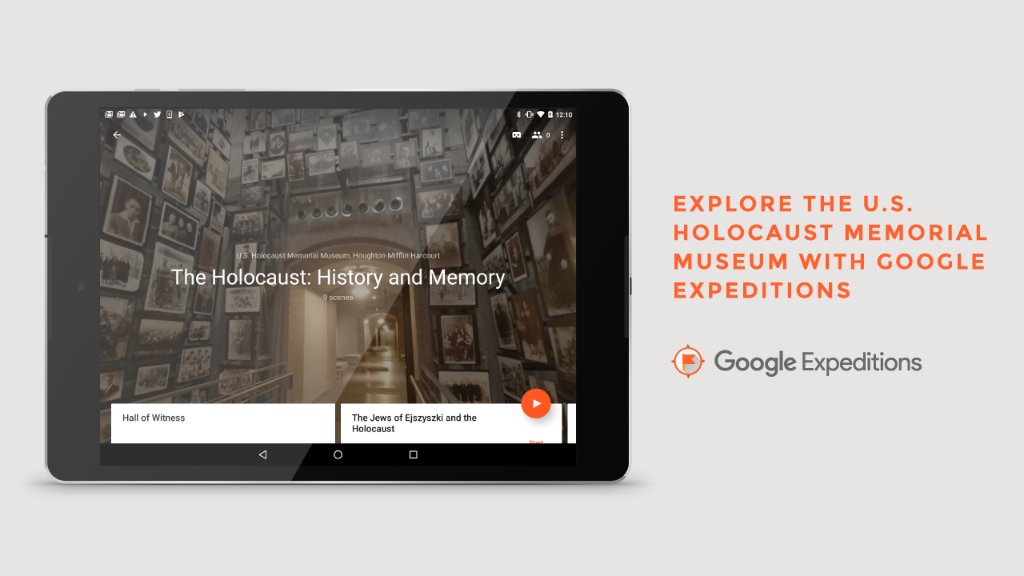
I also got to use the Google Expeditions Virtual Reality software to teach some amazing sixth graders about World War II and the Holocaust.  I have worked with two amazing teachers over the years to create a technology rich end historical fiction station activity on World War II and the Holocaust.  One of the stations is using VR and Google Expeditions to travel to Pearl Harbor, Normandy, Iwo Jima, and the Holocaust Museum in Washington, D.C.
Image result for google expeditions holocaust museum


Click on the picture below if you would like all the resources for this station activity... for FREE!


Also, I had a really cool surprise... ish.  In May, I was named a 2018 PBS Digital Innovator All Star!


I am honored and way excited because I get to get back to work with PBS and my amazing local affiliate WGBH. Seriously..... have I told you how amazing WGBH is?

This month, the 30 PBS All Stars get to go to CHICAGO for the PBS Digital Innovator Summit and then I get to spend a day at.....


Can you tell I'm super excited?!?!?

So.... I actually came here to announce a challenge I am giving myself for the summer. I have been working with teachers all over my district and have been showing them how to use social media to up their ed game. To help them out, I am going to do a weekly post about...

Who should I follow on Instagram?
Who should I follow on Twitter?
What podcasts should I listen to?
What blogs should I read?
What YouTube channels should i be watching?
Wild Card! This will be something amazing that doesn't fit into the above categories!!!


I have a ton of ideas but I would also love to hear and share the things you love!  If you have any suggestions, fill in this form. You do not have to fill out the whole form.  If you have a super great podcast I should be listening to, just fill out that piece!  

I'm doing this to force myself to get back to my passion.... sharing with teachers.  I hope you will join me!

Summer Inspirations Round Up - Click here to see all the current Summer Inspiration Weeks


5 Ways To Teach Thanksgiving, Engage Students, and Not Lose Your Mind!

Sunday, November 5, 2017 No comments


Engage your students and teach Thanksgiving Activities for kids in elementary and middle school. #thanksgivinglessons #thanksgivingactivities #middleschool #elementaryschool
Don't forget to sign up to get ideas, tips and tricks, and freebies to engage your students!


I love Thanksgiving!  Mostly I love Thanksgiving because it means I get to put up my Christmas tree the next day, but I do really love having my whole family over to just spend time together.  Thanksgiving also is a great opportunity to sneak in some learning no matter what age you teach.  So, what are some awesome, low prep activities?

friends thanksgiving GIF

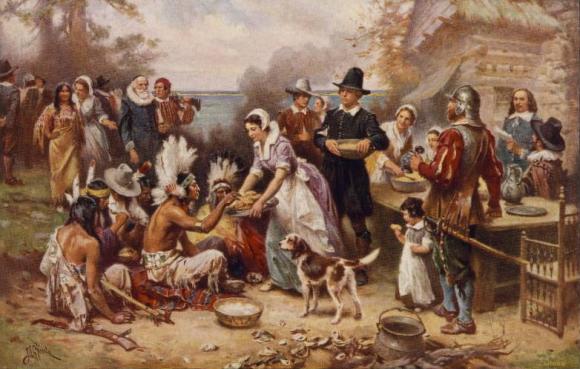
If you teach middle school, Thanksgiving is a great opportunity to talk about myths and legends vs. facts.  On of my favorite activities to do before the holiday was from Beyond the Bubble.  Beyond the Bubble is operated by the Stanford History Education Group and focuses on students being critical readers of history.  Beyond the Bubble has a great activity comparing the facts of the first Thanksgiving and the picture that was painted in 1932. Click here for the activity!
2) A teacher can never have enough books and little ones can not read enough!  In the weeks leading up to Thanksgiving, think about joining Epic! Books !  I’m going to blog more about Epic! Later this week but just know that your students can access high quality, digital books about Thanksgiving!  Students can read both fiction and informational text on the site and can find books that are read aloud.  Epic! Books are also great for young students to start their journey into researching!


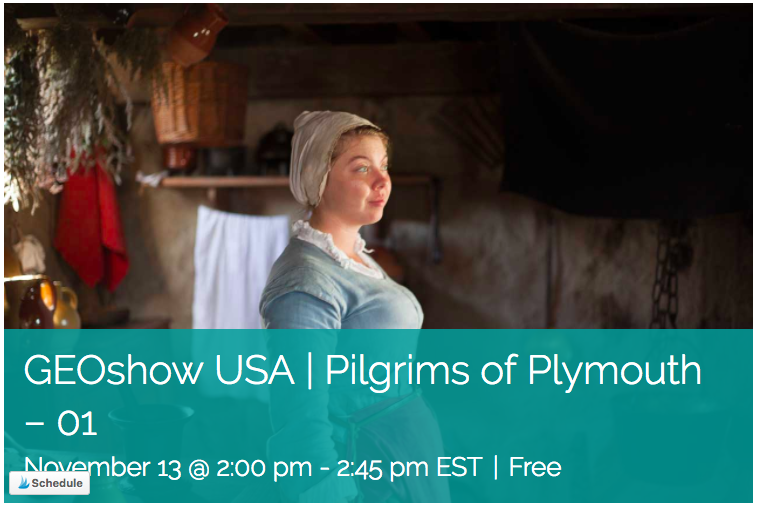
3)  Have you taken a virtual field trip yet?  If not, one of my favorite simple and easy virtual experiences is taking a trip to Plymouth Plantation the week before Thanksgiving.  Head on over to Learn Around the World and let Brandon Hall show your kids around Plymouth Plantation and teach them about life among the Pilgrims and Wampanoag.


Screen Shot 2017-11-04 at 10.18.46 PM.png


4) Introduce your kiddos to podcasts!  Podcasts are a super hit in my house and they help students create critical listening skills.  Stories Podcasts is one of my favorites. Students write stories and the lovely peopl at The Stories Podcasts act them out and add music.  They have a cute and short podcast about two sibling fighting about a Thanksgiving Pie Off.  I suggest it for 3rd grade and above:)


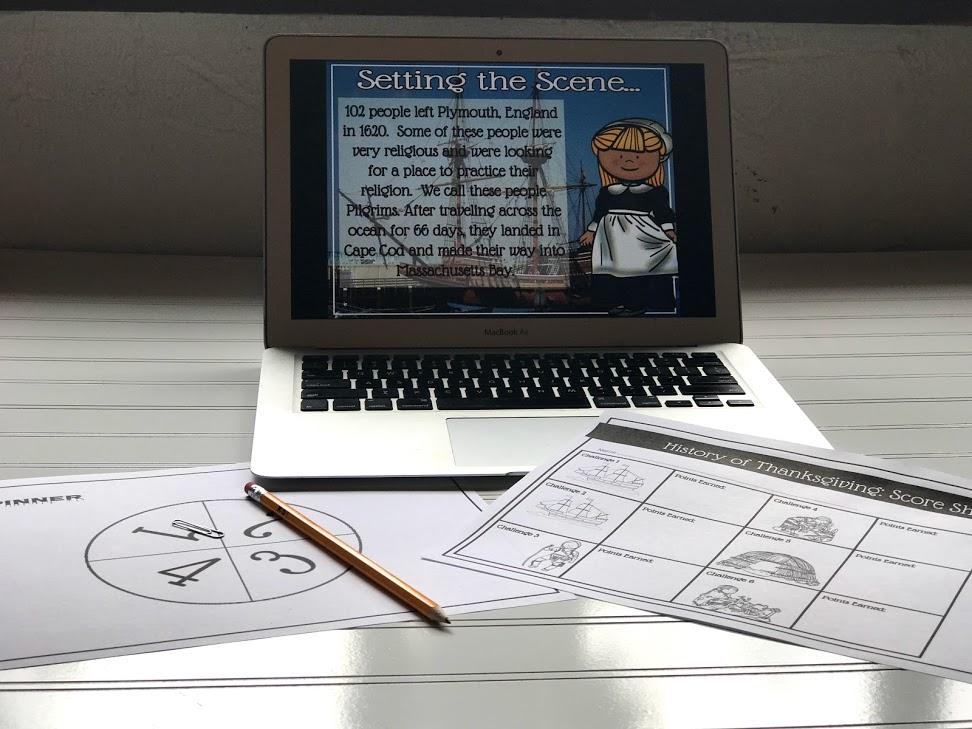
5) Lastly, I love to get the kiddos ready by playing my The History of Thanksgiving Digital Simulation.
The game is performed whole class but students compete in a group of 3 or 4.  I launch the activity by having students turn and talk and discuss the following essential questions:
What obstacles and what successes did the Pilgrims encounter as they attempted to survive at Plymouth?
Once students are in groups I give each student a point sheet and each group gets a spinner.  To use the spinner, the students need a pencil and a paperclip.


Once the students have all their paper resources, I begin the presentation.  The presentation has students spinning through the game to assign them their actions on how they would have acted in the months leading up to the first Thanksgiving. Every option in the game is taken straight from history.  If students “choose” the same path as the Pilgrims, they will be successful all the way up through the first Thanksgiving.  Students will also experience the difficulties the Pilgrims had on the way to success.


Last year when I played this game with a group of 3rd graders, they didn’t know that I had created it.  While we were playing, one of the kids turned to me and whispered, “Don’t tell my teacher but this is really fun!”  Engagement for the win!
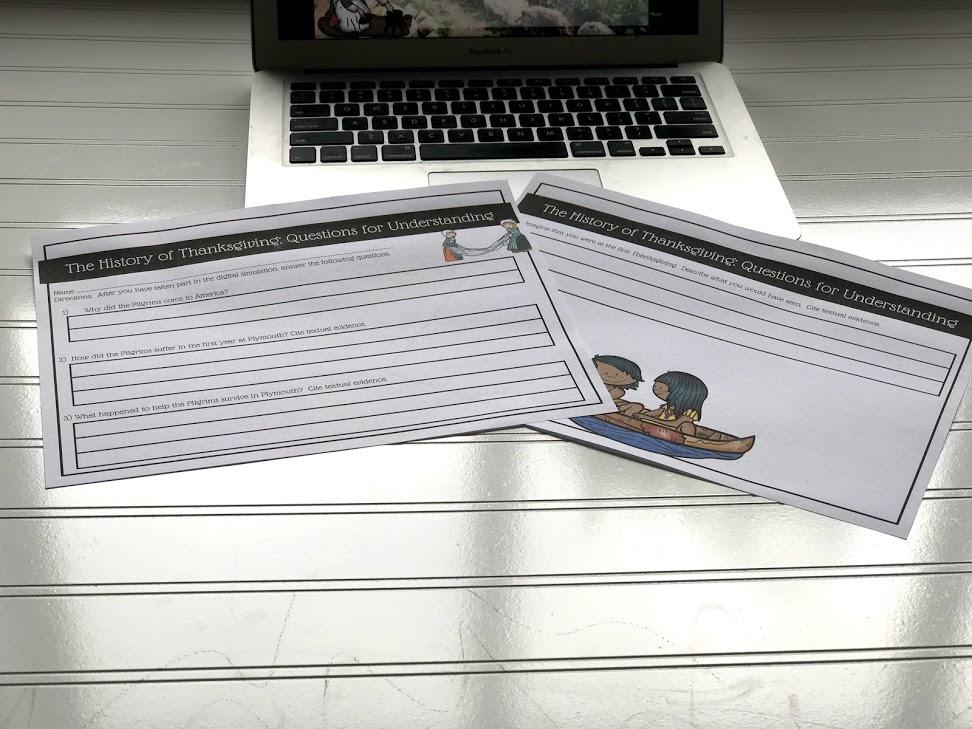
Once the game is complete, I have my students go back through the presentation and analyze the information by completing The History of Thanksgiving: Questions for Understanding.  As a summary activity, I have the students create an advertisement that extolls the magnificence of the lives of the Pilgrims and and Warning sign that gets settlers to stay away because of the hardships.


If you are interested in The History of Thanksgiving Digital Simulation click here and head on over to my Teachers Pay Teachers page.  I promise this will not disappoint!

Tech You Can Use Tomorrow: Live Webcams

Saturday, November 4, 2017 No comments


Quickly and easily transform your classroom with live webcams! Turn your elementary and middle school classroom into an aquarium, transport your students to the Space Station, and hang out with grizzly bears playing in the water. These are great to support informational text units! #informationaltext #techintheclassroom #livewebcams

Hey all!  In my new job as an integration technology specialist, I go into a ton of classes!  As I travel across the district my goal is to inspire kids and teachers to just add something small to their days to create engagement.  For me, engagement means that students want to be in a classroom and if they want to be there they will be open to learning. 

I'm going to start a regular series where I give you a simple little tech tip that you can easily roll out in your classes on Monday and they will get you and your kiddos excited!


Week 1: Live Webcams
The other day I showed teacher the power of live webcam and they couldn't believe they had never thought of it.  A live feed is a 24/7 video feed of anything but I have teachers focusing on live feeds of animals and places.

Imagine launching a unit on the solar system and the students walked into the class to this on the projector:


Or imagine doing an informational text unit on penguins and while the students were doing their research this was playing on the projector:


Adding a webcam to any lesson or unit makes the content come alive and is so simple to incorporate.  I have come up with a list of some of my favorite webcams so click here to see how you can add these to your classroom!

To be honest, sometimes I just put the live webcam on to make me happy so right now I'm going to leave you with some fun brown bears..... because, well.... they are adorable.


Join Me On My Journey to Engagement!

* indicates required

250 Virtual Field Trips.... most of them are free!

Wednesday, May 31, 2017 61 comments


If you have been following my blog lately, you will know that I am absolutely (and probably ridiculously!!! ) obsessed with virtual field trips.  I promise I will blog about something different soon but I have one last thing.  I have been working on organizing all the field trips I find into one sheet and I was just able to make it into a searchable database!  
So search away and make some connections!  Let me know if you take any of these field trips!  I would love to hear how others are using them in their classrooms!!!
This list is ever growing so bookmark this and keep coming back when you are planning next year!


Why yes... those are wild animals in my classroom!

Sunday, April 9, 2017 No comments


Have you been thinking about taking a virtual field trip? Take your elementary, middles, and high school students on a live safari in South Africa! Students ask questions and get answered in real time! #virtualfieldtrip #elementary #middleschool #safarilive

Hey all!  Now that I have been in my new job for a bit, I have sooooooo much to share with you.  My job is super fantastic!  I spend my days traveling to schools teaching teachers and students how to use Google Classroom, Green Screen videos, iMovie, podcasting and more!  

My favorite part of the job is bringing kiddos from my fabulous district all around the world with virtual field trips.

I have taken the DEEP dive into virtual field trips.  Some may even call it an obsession but I adore the fact that I can introduce my students to experts and places all over the world.  My favorite experience right now is Wild Safari Live!Image result for wild safari live

OMG!  This is amazing!  Wild Safari Live is a game changer.  It is a live feed of an actual safari from the Djuma Game Reserve in South Africa.  You can watch the live feed every day from 9:30 - 12:30 and 12:00 to 3 am eastern.  You can watch the live feed at http://www.wildsafarilive.com/ or Youtube Live.  On the safari, you have 3 rangers traveling throughout the reserve looking for amazing animals and answering questions from Twitter using #safarilive.

But the excitement does not stop there!  Thanks to an AMAZING educator, Erik Moore who is an Instructional Technology Specialist for Landstown High School in Virginia Beach, Wild Safari Live is a teacher's dream!  Erik worked with Wild Safari Live to save the first hour of the sunset broadcast (the morning broadcast here in North America) for student questions only.  Three schools can sign up daily (Click here if you would like to sign yourself up!) and get to monopolize the questions for the first hour. Teachers submit their questions through the message option in Skype and the absolutely best part about it is they speak directly to the students and post their question and name on the screen!


The kids absolutely freak when they see their names on the screen and love it when the rangers personally talk to them!
I have conducted about 15 safaris so far, from grades 1 - 8, and it has been amazing.  I have seen giraffes, impala, rhinos, elephants, tortoises, lions, cheetahs, hyenas, eagles, and more!  If you are interested in exploring this, check out the following resources!
1) Read a great blog about what Erik Moore has done for us right here!
2) Email Erik at exmooore@vbschools.com for materials and ideas.
3)  Follow Erik on Google Plus at Erik Moore and on Twitter @ITS_LHS_Erik
3) Click here for resources I have put together for the experience!
4)  Here is a great video that describes the safari experience:


Watch this clips to see one of my kiddo's questions being answered.  How cool is this?


Lastly, click here to check out my experiences with Wild Safari and other virtual field trips I'll be discussing in the coming weeks!  As always feel free to contact me at twitter @kwilkinstchr!

5 Favorite Technology Tools and Trends of 2016

Thursday, December 29, 2016 6 comments
Hey all and happy almost New Year!  I feel like I am always apologizing for not writing but this time I have some really good excuse!  After 19 years of classroom teaching I have moved out of the classroom!  On December 5th I started a new job as a District Technology Integration Specialist!  My new job is sooooooo cool!  I work with 2 other wonderful people and we travel around our very large district (over 15 schools!!!)  helping teachers take technology risks in their classrooms and helping students use technology to increase their learning.  It is amazing!!!!

Everyone keeps asking me if I miss being with kids everyday but the wonderful thing about my job is I am with them.  I have already spent time helping newcomer ELL students create Google presentations on their home countries and cultures and the other day I spent the entire day teaching 3rd and 4th graders at my son's and daughter's school how to use Google Classroom.  My son was soooo proud of me!

Sooooooo, since it is the end of the year, I would like to focus on my 5 favorite technology tools and trends of 2016.

1) Virtual Reality
I've gushed about it before but I absolutely looooove the infancy of virtual reality in the classroom!  There aren't even a ton of things out there right now so I can't even imagine how much this is going to grow.
My kiddos absolutely love Google Cardboard, Google Street View, and especially Google Expeditions!


We had Google into my school and it was such an amazing experience.  If you haven't tried it yet, you have to!!!
 Using Google Street View you can travel to a ton of place all over the world.  If you have a tablet, a phone, and some VR cardboard or googles, you might want to use the Google Expeditions app.  This allows you to help your students take tours.  Here is a link to all the Expedition tours that are currently offered: https://docs.google.com/spreadsheets/d/1uwWvAzAiQDueKXkxvqF6rS84oae2AU7eD8bhxzJ9SdY/edit#gid=0

If you would like some ideas on how to use this in your classroom, join this amazing group on Google Plus: https://plus.google.com/communities/103070326999809122127


2)  Connecting Classrooms
I have always been a fan of book buddies, mentors, and peer tutors.  Before the dawn of Skype and Google Hangouts this connections were limited to our own schools.  If you haven't tried connecting to a class, please do it in 2017.  As an educator, I found it so empowering.
You don't have to connect over anything huge.  You might share poetry with another third grade class, or you might talk about the characters in Maniac Magee.
One of the fun ways to connect is to conduct a Mystery Google Hangouts.  We love using our critical thinking and geography schools in such a real world way and we really love making connections with our students across the country! Click here to check out how to do this in your classroom!
If you are looking for easy ways to connect to other classrooms, click here!

3) Virtual Field Trips
Ok!  I have not been quiet about this at all!  I am OBSESSED with virtual field trips!  I work in a small urban district where a majority of my kids would be considered to live in the poverty level.  We do not have enough money to get out of our classrooms and give the kiddos experiences.  The thing is, my kids need these experiences the most.  They need to see what the world has to offer them!  I have thrown myself into this new passion with a vengeance!!!
So far, I have taken students from 2nd - 8th grade on a trip to Plymouth Plantation, Angkor Wat in Cambodia, and Komodo National Park.  My students have learned about different cultures by having a live conversation with a fabulous woman from South Africa.
My favorite places to go for virtual field trips is Learn Around the World and Microsoft Educators Network.  To help you all out, though, I am in the process of making a database of tons of free field trips you can take your students on. Click here to look at my growing list of over 300 opportunities for your students to connect with places and experts for FREE! 

Here is an example of one of our field trips!


4)  Google Sites
About two months ago, I had a colleague ask me what a teacher should use to help kids create a website for class.  I showed them Wix and Weebly and they asked what I thought about Google Sites. Bleh!  Google Sites was clunky, ugly, and not very intuitive.  I hated that it wasn't integrated with the rest of my GSuite platform.
Weirdly enough, two weeks after this conversation Google totally revamped the entire platform and it is AMAZING!  Sites can be created off of your Google Drive account, the drag and drop is ridiculously easy, and the formatting is so simple!  Click here and check out a website I'm still working on.


5) Fun Data Collection
When it comes to formative assessment, things keep getting more fun!  If you are looking for an engaging way to assess kids there are tons of great things out there right now.  Some of my favorites are Kahoot, Quizzizz, and Plickers.  Students love all these tools and have no idea they are even being assessed.  During one of my virtual field trips, my students took a final assessment with over 400 other students across the U.S. and even a class in Mexico.  How cool is that?


So... what were your favorite tech trends, apps, or websites of 2016?  Let me know in the comments and feel free to contact me if you would like to be a guest blogger about something techy you've been using in your classroom!