Category: Apps
Showing posts with label Apps. Show all posts

Makers Gotta Make! - Free Digital Maker Space for Elementary School

Wednesday, July 15, 2020 4 comments


Soooooo... what is everyone up to? Ha! Just kidding! We are all biting our nails wondering what next year is going to look like. No matter how we go back in August, it won't be the same as any other of my 20 years!

As a tech coach in my district we have been talking a lot about how we can use tech to take over some of the basic things we do with our kiddos. Just this week I had a conversation where we realized we won't be able to use legos, blocks, playdoh, or even come sit on the rug.... ugh.

I decided to try to do something and was looking for some online building tools to integrate into our Stem read alouds. I put the call out to one of my favorite edtech facebook pages Teach with Tech, and someone suggested I check out a great digital maker space made by Shannon McClintock Miller: https://vanmeterlibraryvoice.blogspot.com/2020/07/our-virtual-makerspace-is-open.html

I fell in love and decided to make one for my district! I borrowed heavily from her but am adding

a ton of content as I find it! https://sites.google.com/view/digital-makerspace/home 

Everything here is elementary focused, able to be used on a computer or Chromebook (not all the items will run on an iPad) and require no logins!!!!


Feel free to share this with your students and feel free to reach out to me and suggest more items or categories! Enjoy!


GreenScreen, Virtual Reality, Augmented Reality, Summer Challenge.... Oh My!!!

Friday, June 8, 2018 No comments
Books, Social Media, and Blogs to Keep You Inspired to Go Back to School #backtoschool #firstweekschool #professionaldevelopment #edbooks


Hey all! As usual, I'm apologizing for not blogging enough.  I always have the best intentions and then life takes over!  Life is pretty great in Engaging Them All Land.  Standardized testing is over so I'm finally back to helping teachers engage students and create life long learners.  I have been conducting a ton of virtual field trips, specifically the ones with Wild Earth TV and Safari Live. If you haven't heard of this, you must! Click here to see my original blog post of the experience!

I have also been doing a ton of green screen projects with teachers and students and they are loving it.  Teachers are starting to paint their walls green so they can easily integrate this into their students's learning next year! 


We have been fracturing fairy tales, making end of the year reading videos, traveling around the world, and hanging with penguins!


We also had a couple of fabulous visits from Google Expeditions and got to beta test the new Google Expeditions Augmented Reality content.  It was amazing!!!!


We saw volcanos explode, dinosaurs up close, and tornadoes twist!!!!!

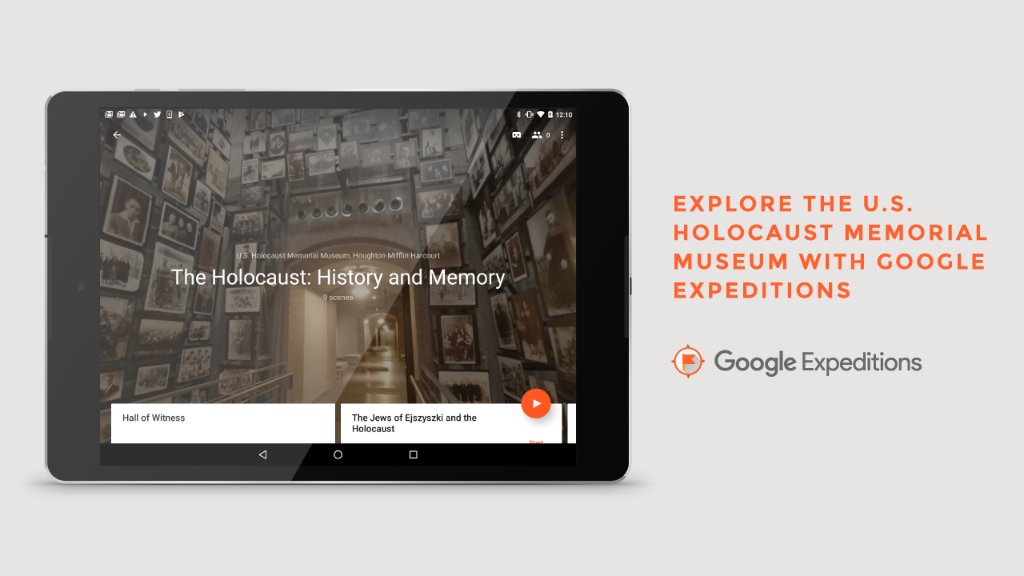
I also got to use the Google Expeditions Virtual Reality software to teach some amazing sixth graders about World War II and the Holocaust.  I have worked with two amazing teachers over the years to create a technology rich end historical fiction station activity on World War II and the Holocaust.  One of the stations is using VR and Google Expeditions to travel to Pearl Harbor, Normandy, Iwo Jima, and the Holocaust Museum in Washington, D.C.
Image result for google expeditions holocaust museum


Click on the picture below if you would like all the resources for this station activity... for FREE!


Also, I had a really cool surprise... ish.  In May, I was named a 2018 PBS Digital Innovator All Star!


I am honored and way excited because I get to get back to work with PBS and my amazing local affiliate WGBH. Seriously..... have I told you how amazing WGBH is?

This month, the 30 PBS All Stars get to go to CHICAGO for the PBS Digital Innovator Summit and then I get to spend a day at.....


Can you tell I'm super excited?!?!?

So.... I actually came here to announce a challenge I am giving myself for the summer. I have been working with teachers all over my district and have been showing them how to use social media to up their ed game. To help them out, I am going to do a weekly post about...

Who should I follow on Instagram?
Who should I follow on Twitter?
What podcasts should I listen to?
What blogs should I read?
What YouTube channels should i be watching?
Wild Card! This will be something amazing that doesn't fit into the above categories!!!


I have a ton of ideas but I would also love to hear and share the things you love!  If you have any suggestions, fill in this form. You do not have to fill out the whole form.  If you have a super great podcast I should be listening to, just fill out that piece!  

I'm doing this to force myself to get back to my passion.... sharing with teachers.  I hope you will join me!

Summer Inspirations Round Up - Click here to see all the current Summer Inspiration Weeks


5 Ways To Teach Thanksgiving, Engage Students, and Not Lose Your Mind!

Sunday, November 5, 2017 No comments


Engage your students and teach Thanksgiving Activities for kids in elementary and middle school. #thanksgivinglessons #thanksgivingactivities #middleschool #elementaryschool
Don't forget to sign up to get ideas, tips and tricks, and freebies to engage your students!


I love Thanksgiving!  Mostly I love Thanksgiving because it means I get to put up my Christmas tree the next day, but I do really love having my whole family over to just spend time together.  Thanksgiving also is a great opportunity to sneak in some learning no matter what age you teach.  So, what are some awesome, low prep activities?

friends thanksgiving GIF

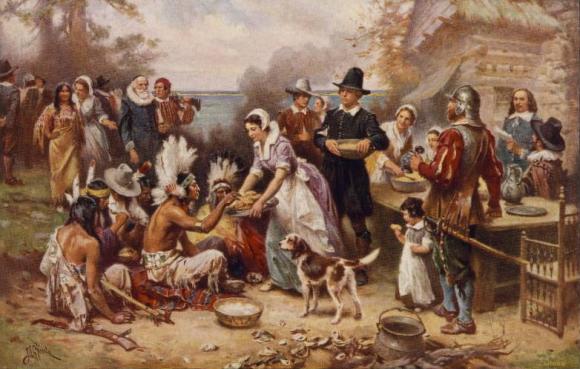
If you teach middle school, Thanksgiving is a great opportunity to talk about myths and legends vs. facts.  On of my favorite activities to do before the holiday was from Beyond the Bubble.  Beyond the Bubble is operated by the Stanford History Education Group and focuses on students being critical readers of history.  Beyond the Bubble has a great activity comparing the facts of the first Thanksgiving and the picture that was painted in 1932. Click here for the activity!
2) A teacher can never have enough books and little ones can not read enough!  In the weeks leading up to Thanksgiving, think about joining Epic! Books !  I’m going to blog more about Epic! Later this week but just know that your students can access high quality, digital books about Thanksgiving!  Students can read both fiction and informational text on the site and can find books that are read aloud.  Epic! Books are also great for young students to start their journey into researching!


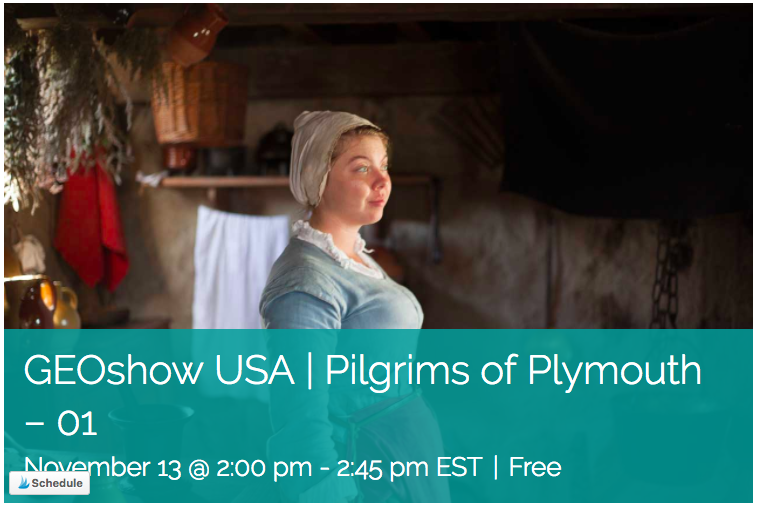
3)  Have you taken a virtual field trip yet?  If not, one of my favorite simple and easy virtual experiences is taking a trip to Plymouth Plantation the week before Thanksgiving.  Head on over to Learn Around the World and let Brandon Hall show your kids around Plymouth Plantation and teach them about life among the Pilgrims and Wampanoag.


Screen Shot 2017-11-04 at 10.18.46 PM.png


4) Introduce your kiddos to podcasts!  Podcasts are a super hit in my house and they help students create critical listening skills.  Stories Podcasts is one of my favorites. Students write stories and the lovely peopl at The Stories Podcasts act them out and add music.  They have a cute and short podcast about two sibling fighting about a Thanksgiving Pie Off.  I suggest it for 3rd grade and above:)


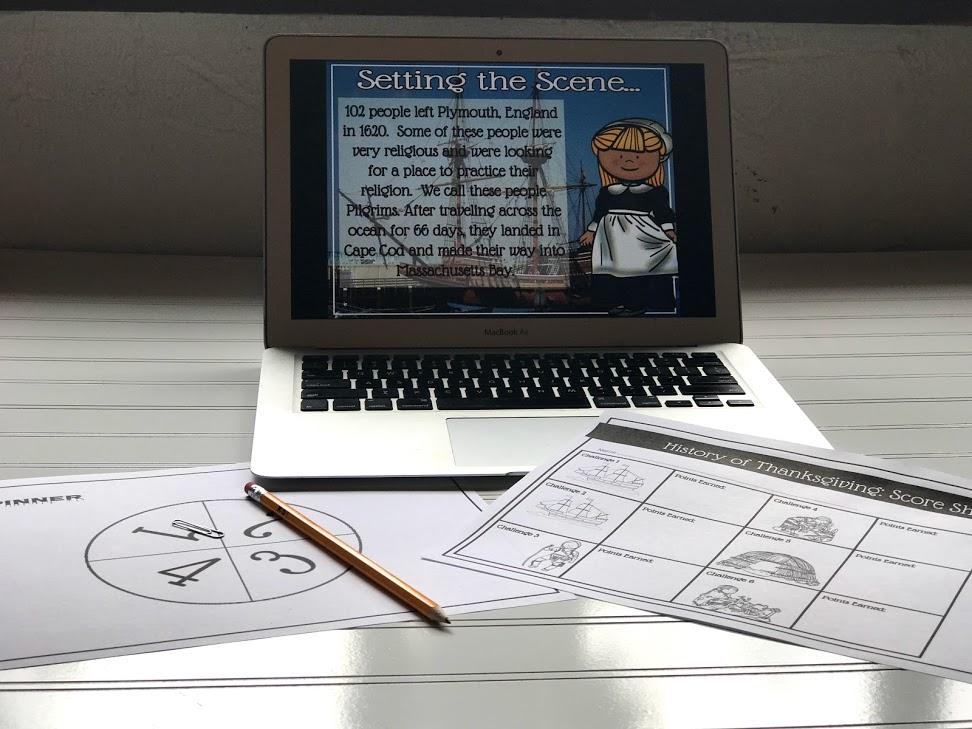
5) Lastly, I love to get the kiddos ready by playing my The History of Thanksgiving Digital Simulation.
The game is performed whole class but students compete in a group of 3 or 4.  I launch the activity by having students turn and talk and discuss the following essential questions:
What obstacles and what successes did the Pilgrims encounter as they attempted to survive at Plymouth?
Once students are in groups I give each student a point sheet and each group gets a spinner.  To use the spinner, the students need a pencil and a paperclip.


Once the students have all their paper resources, I begin the presentation.  The presentation has students spinning through the game to assign them their actions on how they would have acted in the months leading up to the first Thanksgiving. Every option in the game is taken straight from history.  If students “choose” the same path as the Pilgrims, they will be successful all the way up through the first Thanksgiving.  Students will also experience the difficulties the Pilgrims had on the way to success.


Last year when I played this game with a group of 3rd graders, they didn’t know that I had created it.  While we were playing, one of the kids turned to me and whispered, “Don’t tell my teacher but this is really fun!”  Engagement for the win!
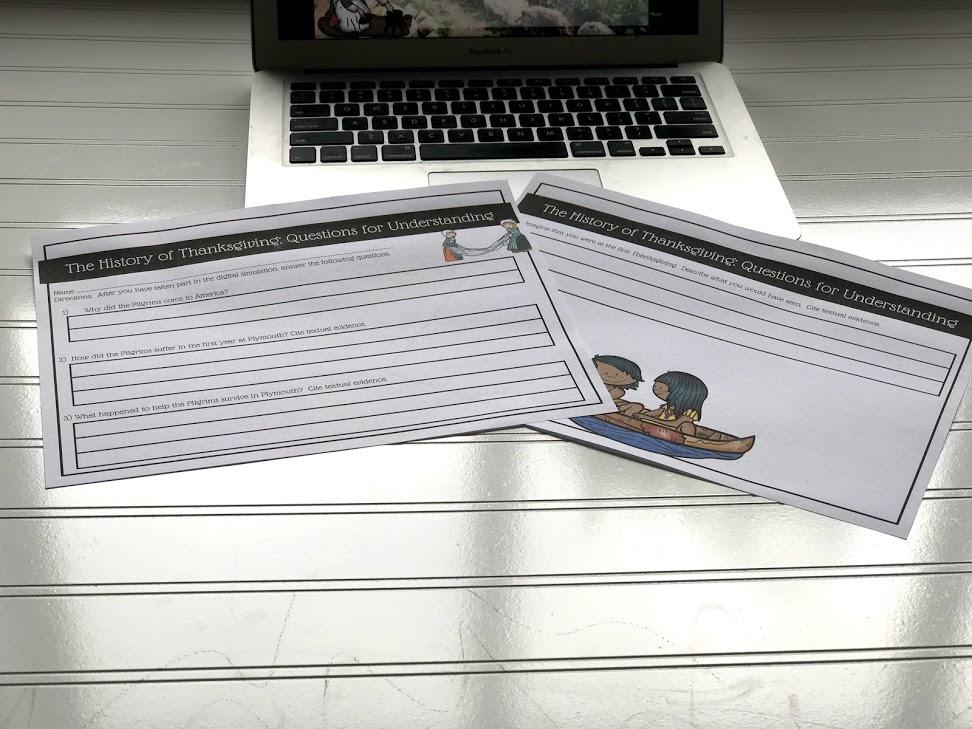
Once the game is complete, I have my students go back through the presentation and analyze the information by completing The History of Thanksgiving: Questions for Understanding.  As a summary activity, I have the students create an advertisement that extolls the magnificence of the lives of the Pilgrims and and Warning sign that gets settlers to stay away because of the hardships.


If you are interested in The History of Thanksgiving Digital Simulation click here and head on over to my Teachers Pay Teachers page.  I promise this will not disappoint!

A little bit of this and that!

Sunday, April 19, 2015 No comments

Hello! I just wanted to share a couple of the cool things that I've been doing lately. First I was very excited to be accepted to go for one day workshop that was going put by Edtechteachers and Google. It was held at the Google headquarters and was absolutely amazing!!!! I got to spend the day with 200 other edtech nerds and it was pure Nirvana. I went to an amazing workshop on Google Classroom and got to ask questions of the actual developers. I also went to a fabulous workshop on apps and extensions.


We aren't allowed to take many pictures but I was able to get some great ones that I then uploaded to my students' Google Classroom accounts and they were able to check in while I was there. The entire day was amazing and I really feel that teacher morale would go up if we got a barista located in the front office much like Google:)

Secondly, I just wrapped up the 2nd Annual Wilke Awards with my seventh graders. Click here to see how this project started last year. They used Zimmertwins to create movies where they created a claim about ancient Egypt and then they supported them with textual evidence. We viewed the movies with all the pomp and circumstance if the Oscars including a red carpet, statuettes, green screen photos and 20 bags of microwaved popcorn in a garbage bag;)


Video created a Classroom Star!

Saturday, March 14, 2015 No comments
Want to make videos in your middle school classroom but don't know where to start? Read here to learn the tips, tricks, and resources you need to engage your students! #video #greenscreen #middleschool #imovie


I love video! I use video for everything in my class. I create videos to launch activities and give directions.  I let my kids make videos all the time.  Since this is becoming a constant in my class, I thought it would be a good time to make a list of my favorite go to video accessories and apps.

1)  I use my iPad for most of my videos.  My best investment was purchasing a decent tripod.  I love this one I got from Amazon.
2) I was blessed and was able to get an iPad mount from my tech department.  I love it and it makes it so I can trust the kids to videotape on their own.

3)  I set up a little recording studio in my class where the kiddos can take green screen videos.  We absolutely love the app Green Screen by DoInk.


Because the kiddos often have to record while class is going on, I just invested in lapel microphones and a long cable.  

Now I place the mic in the middle of their shot and the volume is much better!

4)  On the iPad I am a huge proponent of iMovie.  I think it has an ease of use that can't be beat.  My kiddos absolutely love making videos on their phones and they find iMovie to be the best.  Once the make it they share with my on Google Drive.  I absolutely adore the ease of them getting me their videos!  Gone are the days when I ran out of space on the school server or could never buy enough flash drives.  Now it's just shoot and share!
5)  If you need to edit movies on a pc, I really like WeVideo.

WeVideo is really easy to use and can hook right up to a Google Drive account.  My students have used this software as well and they learned to use it in about ten minutes.

6) Sometimes I just like to have fun.  A great purchase was the IntroDesigner app.  I've made a class intro that the students love to see and we can easily add credits to the end.


7)  Lastly, who knew it, but my selfie stick comes in really handy in the classroom!  Kids made Common Craft inspired In Plain English movies and used my selfie stick to hold their phone as they video taped.


So, these are the things I'm doing in my class to make video a go to form of learning and creating.  What are you doing?